
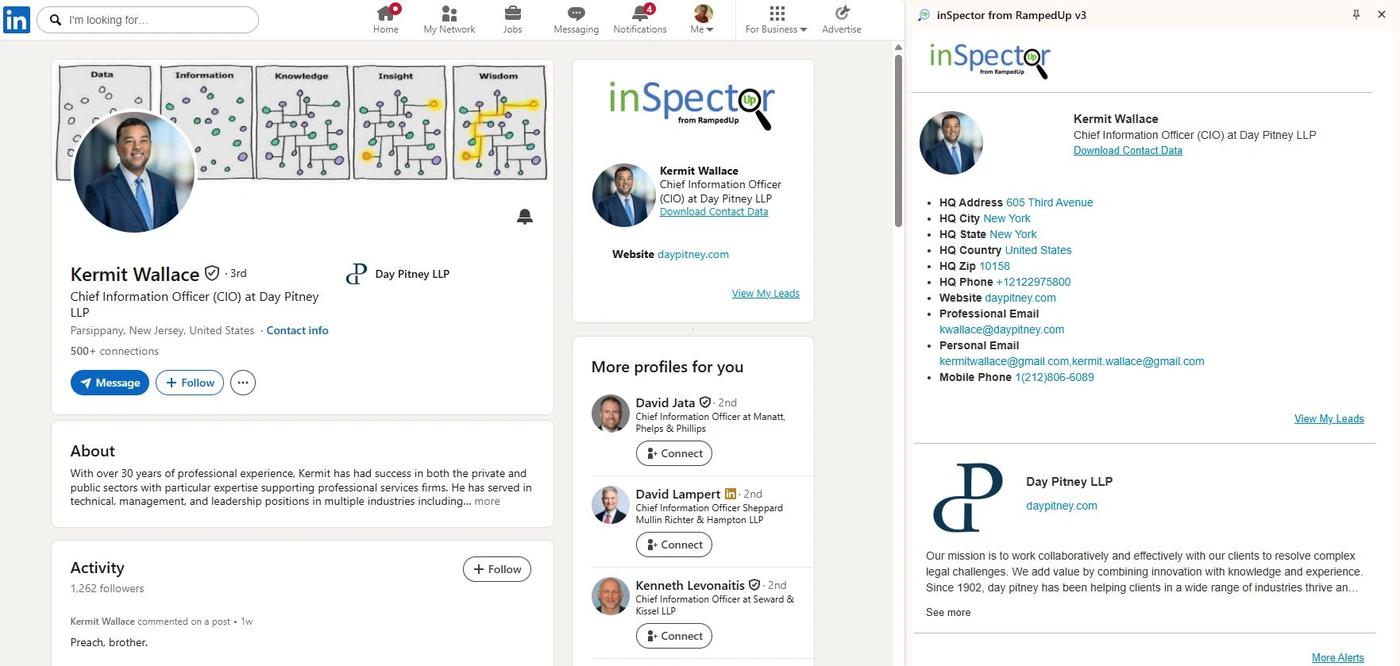
The Linked iNspector Chrome Extension will be getting a "make over."
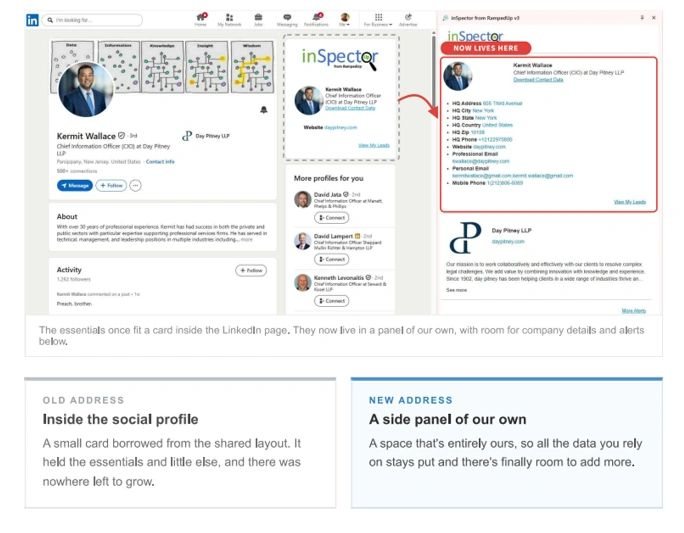
Every bit of data you've come to rely on is still here, in the same tab, one click away. We simply ran out of room inside the shared space, and with a panel of our own we can finally give you more.
Room to grow
For years, everything we wanted to show you had to fit in a small card inside a shared page. That limited what we could deliver and how quickly we could deliver it. With a panel of our own, contact details get the space they deserve, new information finally has somewhere to live, and the view stays consistent no matter how the page around it changes. The in-page version is being retired.
Safe to use, by design
Everything in the panel comes from RampedUp. We don't read, scrape or enhance anything. Why is that important? Because using our application will not bring the the Terms of Service of LinkedIn. "This means that abusers risk having their accounts restricted or shut down. They also risk the possibility that any prohibited tools they’re using may become non-operational without notice."
One new step: click to open

The biggest change in the user experience is that the RampedUp icon needs to be pressed to activate the extension. Without activation, the side panel will not open and the user cannot view the contact details.
We have added a red flag on the Extension's icon to capture the users attention to help. Once the app is opened, it will stay open as long as the user is logged into RampedUp. We will provide more details closer to the even
New in this release
See who the company is right below the contact details. Context for your outreach without opening another tab. Timely, actionable signals on the account you're looking at. Alerts refresh every 15 minutes, so what you see is what's happening now.
Open a LinkedIn company page and that company's alerts fill the panel. Elsewhere, the panel keeps a general feed running so there's always something useful in view.
What to expect
- You'll see the reminder. For a short period, the familiar in-page card will remind you of the upcoming change.
- You'll get an email. We'll write to every active user before the change takes effect, with everything you need to know.
- The side panel takes over. Once the transition is complete, iNspector lives in the panel full time. Nothing new to install or reconfigure for existing extension users.
